Distraction-Free Content Consumption: My Experiment to Stay Current With Creators I Love
I’ve been thinking a lot about how I consume the work of creators I genuinely care about. Not the “scroll until my eyes glaze over” kind of content consumption. The ones where I want to actually show up for the people whose work inspire me.
Because here’s the thing: when creators publish on algorithm-driven platforms, I don’t always see their posts. And when I go looking for them… I get pulled into everything else the platform thinks I should want. It’s not even a willpower issue. It’s design.
So I’m trying something new: a more intentional, distraction-free way to keep up with the creators I love, without the algorithm constantly rearranging my attention.
These are my “lab notes” plus a shortlist of tools I’m testing (and a few you might love too).
The real problem (for me): I don’t want more content. I want the right content.
When I open social platforms “just to check” on someone I like, I’m immediately offered:
- “Suggested for you”
- viral posts from strangers
- ads that know me a little too well
- and, weirdly… not the creator I came for because I forget to go there
So my experiment isn’t about consuming more. It’s about removing the friction between me and the creators I already chose.
What I’m testing: a distraction-free creator “inbox”
The goal is simple. I would love to have a single place where I can read blog posts (RSS feeds), keep up with YouTube channels, optionally route newsletters somewhere other than my main inbox, and do it in a way I can sit down and read/watch them without distraction.
I remember back in the day this was much simpler. I used to blog on Blogger and it came with its own follow feed. I could simply follow the blogs I wanted, and when I logged on to Blogger to work on my blog I would see the latest posts from the blogs I followed. It was easy to comment and keep up. And I’m trying to recreate that.
The rules (loosely):
- I want to check it once a day (or a few times a week) like a magazine, not like a slot machine.
- I’m prioritizing tools that feel minimal algorithmic noise.
- I’m testing “free first,” then upgrading only if I’m actually using it.
Tool #1: Feedly (my “back to the blogging heyday” choice)
Last year, I set up a new free Feedly account. because honestly, I miss the old days of the internet when you could just… follow the sites you liked.
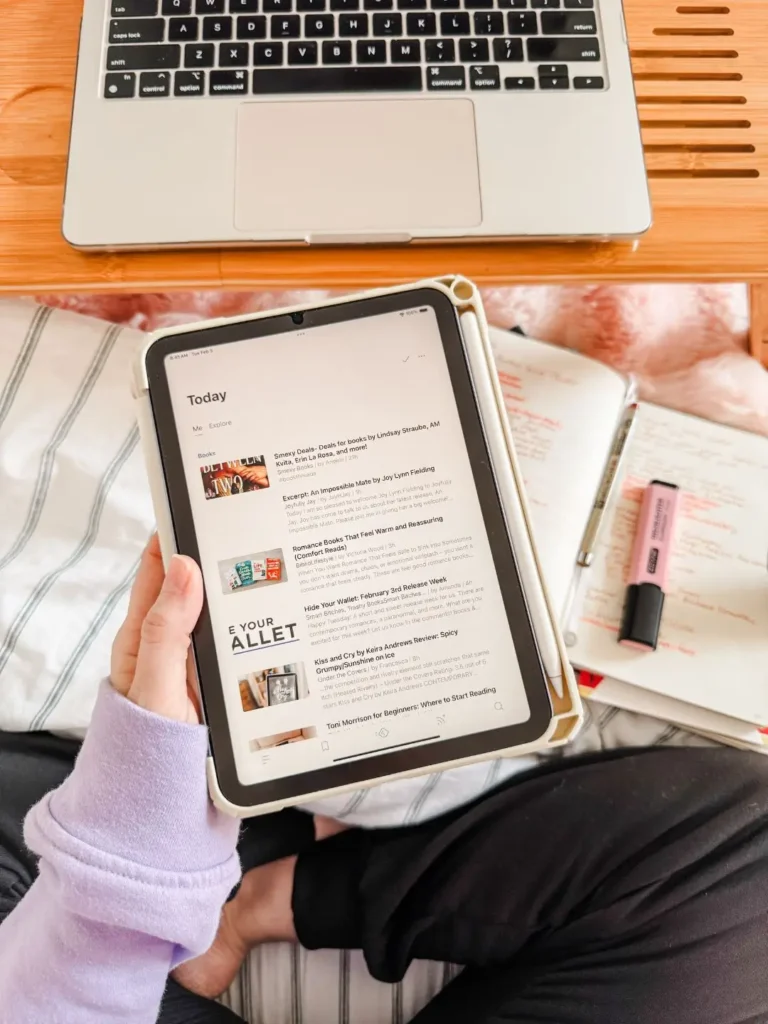
And I was pleasantly surprised. The app experience is genuinely functional (especially on iPad). You can follow blogs and also YouTube channels! And there’s a feature that’s tempting me to upgrade. Feedly has a newsletter feature where you can generate a Feedly email address and subscribe to newsletters using that address, so they show up inside Feedly instead of cluttering your inbox.
That’s dangerously appealing. You don’t want to know what my inbox looks like (more than one inbox, btw).
But I’m trying to be honest with myself: I don’t want to pay for “aspirational organization.” I want to pay for something I actually use. So back to the testing to see if I use it phase.
Feedly Pros for this project
- Great “one place” reader experience for consuming media
- iPad-friendly workflow
- Works for YouTube subscriptions alongside blogs
- Newsletter-to-Feedly email option (paid feature depending on plan)
Feedly Cons
- Upgrades can be tempting when you’re still figuring out habits (reminder to self, don’t do it!)
- Depending on your volume, it can still become “a lot” unless you curate ruthlessly
Other RSS reader options (if you want to shop around)
Feedly isn’t the only player in town. Here are a few solid alternatives, depending on your vibe:
Inoreader (powerful + newsletter-friendly): Inoreader supports pulling newsletters into the app by creating a unique email address for newsletter subscriptions.
Good for: people who want filters, rules, and a very customizable reading system.
Watch for: it can feel like a lot if you want ultra-simple.
Reeder (beautiful “inbox” approach): Reeder has evolved into more of a unified content inbox for reading/watching/listening across sources.
Good for: design lovers who want a calm, curated queue.
Watch for: it’s an app purchase, and the “new way” of reading takes a minute to get used to.
Tool category #2: Read-later apps (for when you find something good)
RSS is amazing for staying current with creators who publish regularly. But what about the one-off gems you stumble on? That’s where read-later tools shine.
Instapaper (quiet reading + highlights + audio): Instapaper is one of the OG “save it for later” tools, and it’s still going, with features like highlights/notes and strong text-to-speech. Why it might be perfect for this project: it turns the internet into something more book-like.
Matter / Readwise Reader (for the “research brain”): If you love saving, tagging, highlighting, and building a personal knowledge library, Matter and Readwise Reader are frequently recommended in the “post-Pocket” era.
Good for: deep reading + building a personal archive.
Watch for: these can become a second job if you over-save.
Side note: Pocket being discontinued has sent a lot of people searching for replacements, which is part of why these tools feel extra relevant right now.
Tool category #3: Newsletter routing (without paying for a premium plan yet)
If the newsletter feature is also tempting you, but you want to stay in testing mode, consider this:
Kill the Newsletter (free newsletter-to-feed converter): Kill the Newsletter generates a unique email address and converts incoming newsletters into a feed you can read in your RSS reader.
Why it’s useful: you can keep your RSS reader free and still de-clutter your inbox.
The tradeoff: some newsletters have confirmation quirks (reply-to requirements), so it’s not flawless for every sender.
My 30-day test plan (so I can tell what actually works)
If you want to copy this experiment, here’s the structure I’m using:
Week 1: Curate the “must-not-miss” list
- Add 10-20 core creators (not 200)
- Separate by format: blogs, YouTube channels, newsletters
Week 2: Set a consumption rhythm
- Pick a time (morning coffee, lunch break, evening wind-down)
- Check once per day (or 3x/week)
- Notice what feels nourishing vs noisy
Week 3: Add newsletters (carefully)
- Either using Feedly’s newsletter email feature or testing Kill the Newsletter as the free “bridge”
Week 4: Decide what earns a paid upgrade
Upgrade only if:
- I’m consistently using the system
- I can name exactly what the paid feature solves
- I’m not just buying the fantasy of being organized
The bigger point (and why this matters to me)
This isn’t just about productivity. It’s about attention. If I say I care about someone’s work, I want my systems to reflect that, not a platform’s incentive to keep me scrolling. So I’m building a little “creator reading room” for myself. A place where I choose what comes in.
If you’ve done something similar, or you have a tool you swear by, tell me in the comments. I love hearing what’s working for other people trying to read the internet like it’s a library, not a casino.
For more productivity and planning tips, check out my intentional planning page.